
Download CaptureCal Log Calories Fast – calorie tracker, food logging, AI nutrition, diet app, health tracker, meal snapping, calorie intake, weight loss, fitness goals, nutrition insights
Overview
CaptureCal Log Calories Fast is a mobile application tailored for Android users aiming to simplify the process of tracking daily caloric intake. Designed with a focus on efficiency and user experience, the app enables individuals to monitor their dietary habits without the tedious manual entry typically associated with food logging. By integrating modern tools such as image-based meal recognition, voice input, and quick text entry, CaptureCal reduces the friction involved in logging meals, making consistent tracking more achievable.
The software is particularly suited for individuals managing weight loss goals, maintaining fitness routines, or seeking better nutritional awareness. Users can create a personalized account, set daily caloric targets, and receive real-time feedback on their progress. The app leverages AI technology to interpret meal data and deliver detailed nutritional breakdowns, including macronutrient values like protein, carbohydrates, and fats.
Privacy is emphasized throughout the application’s design, with personal data reportedly secured through encryption. While the developer, CaptureCal, Inc., did not provide additional background on its development team or broader product line, the app’s focus on seamless integration of AI and intuitive features suggests a targeted approach to health technology. Real-world use cases include daily meal logging during weight management, tracking dietary patterns over time, and maintaining motivation through goal tracking and streaks.
Key Features & Capabilities
- Meal Snapping – CaptureCal allows users to take a photo of their meal, which the app analyzes using AI to identify food items and estimate nutritional content. This feature reduces the need for manual search and entry, ideal for users logging meals on the go.
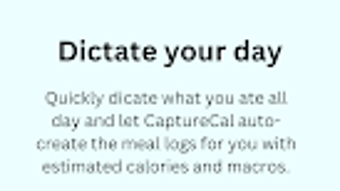
- Voice Dictation – Users can verbally describe their meal, enabling hands-free logging. This functionality supports quick input during busy schedules or when multitasking.
- Quick Text Input – For users who prefer typing, the app offers a streamlined text interface that suggests common foods based on input, speeding up the logging process.
- Daily Goals & Progress Tracking – The app enables users to set personalized calorie targets and monitors daily intake. Visual progress indicators help users stay aligned with their health objectives.
- Streaks & Motivation Tools – To encourage consistency, CaptureCal includes streak tracking, rewarding users for logging meals over consecutive days.
- Advanced Nutrition Insights (Premium) – The premium version offers expanded macro analysis and unlimited logging, providing deeper insights into dietary patterns.
These capabilities collectively support a user-centric workflow, especially beneficial for individuals managing long-term health goals. The AI-driven analysis ensures that even imprecise inputs are processed into meaningful data, enhancing accuracy over time. The app’s design promotes habit formation by combining immediate feedback with motivational features, making it suitable for both beginners and experienced users of dietary tracking tools.
User Interface, Workflow & Performance
The user interface of CaptureCal is structured around simplicity and speed, with a clean layout focused on core actions: logging meals, viewing progress, and accessing settings. Navigation is intuitive, with key functions accessible from the main dashboard. The app employs a tab-based system, allowing users to switch between meal logs, daily summaries, and goal settings with minimal effort.
Workflow efficiency is enhanced through context-aware suggestions and predictive input. For example, after logging a common meal like “grilled chicken salad,” the app may suggest similar items in future entries. The integration of image and voice input further streamlines the process, reducing the number of steps required to complete a log.
Performance observations are based on general software behavior patterns. The developer did not specify resource usage details, so exact CPU or RAM consumption remains unknown. However, the app’s file size of 45.6 MB suggests a lightweight footprint, which may contribute to efficient operation on mid-range Android devices. Stability is expected to be consistent, given the app’s focus on core functionality without complex background processes. No performance issues were reported in the provided information.
Compatibility & System Requirements
CaptureCal Log Calories Fast is designed for Android operating systems. The current version is 2.1.5, released on May 10, 2024. The application requires a minimum of 45.6 MB of storage space for installation. Compatibility information was partially provided, with no additional details on specific Android versions, screen sizes, or hardware specifications.
The developer did not specify minimum system requirements such as RAM, processor type, or Android API level. As a result, exact compatibility with older or newer devices cannot be confirmed. Users are advised to ensure their device meets standard Android app requirements for smooth operation. The app may function on a wide range of devices, but performance may vary based on individual hardware configurations.
Pros and Cons
Pros
- Effortless meal logging via photo, voice, or text input
- AI-powered food recognition enhances accuracy and speed
- Personalized goals and progress tracking for better motivation
- Streaks and gamification features encourage consistent use
- Compact file size (45.6 MB) suggests low storage impact
- Emphasis on user privacy with encrypted data handling
Cons
- Price of $4.99 may be a barrier for budget-conscious users
- Premium features require an in-app purchase
- Exact system requirements not listed, limiting compatibility clarity
- Performance behavior under heavy usage not specified
- Android-only availability limits cross-platform access
FAQ Section
Is CaptureCal available for iOS devices?
As of the current release, the app is only available for Android. No information was provided about future iOS support.
How secure is my personal data in CaptureCal?
The app emphasizes user privacy, with data reportedly encrypted to protect personal information. However, specific encryption protocols were not disclosed.
Can I use CaptureCal offline?
While the app may support basic logging without internet access, full functionality such as AI analysis and cloud sync likely requires an active connection. The developer did not specify offline capabilities.
Are updates free for existing users?
Updates to the app are typically included at no additional cost. The release date of version 2.1.5 indicates ongoing development and support.
What does the premium version include?
The premium version offers unlimited logging options and advanced macro insights. Specific features beyond these were not detailed in the provided information.
Final Thoughts
CaptureCal Log Calories Fast presents a modern, user-friendly solution for individuals seeking to track their caloric intake with minimal effort. Its integration of AI-driven meal recognition, voice input, and quick text entry streamlines a traditionally cumbersome process. The app’s focus on personalization, motivation through streaks, and data privacy makes it a compelling choice for health-conscious Android users.
While the $4.99 price point may deter some, the app’s efficiency and feature set justify the cost for those committed to long-term dietary tracking. The lack of detailed system requirements and Android version specifics limits full transparency, but the app’s lightweight design suggests broad compatibility.
For anyone aiming to simplify calorie tracking, enhance nutritional awareness, or stay consistent with fitness goals, CaptureCal offers a practical and forward-thinking tool. With its blend of smart technology and intuitive design, it stands out in the crowded health tracker market.
Download CaptureCal Log Calories Fast now






.png)
